What's the Difference Between New, Aged, and Premium Gmail Accounts? How to Choose When Buying Gmail Accounts
Learn the differences between new, aged, and premium Gmail accounts, including registration age, account status, pricing, and use cases. Find out how to choose the right Gmail account for your needs.
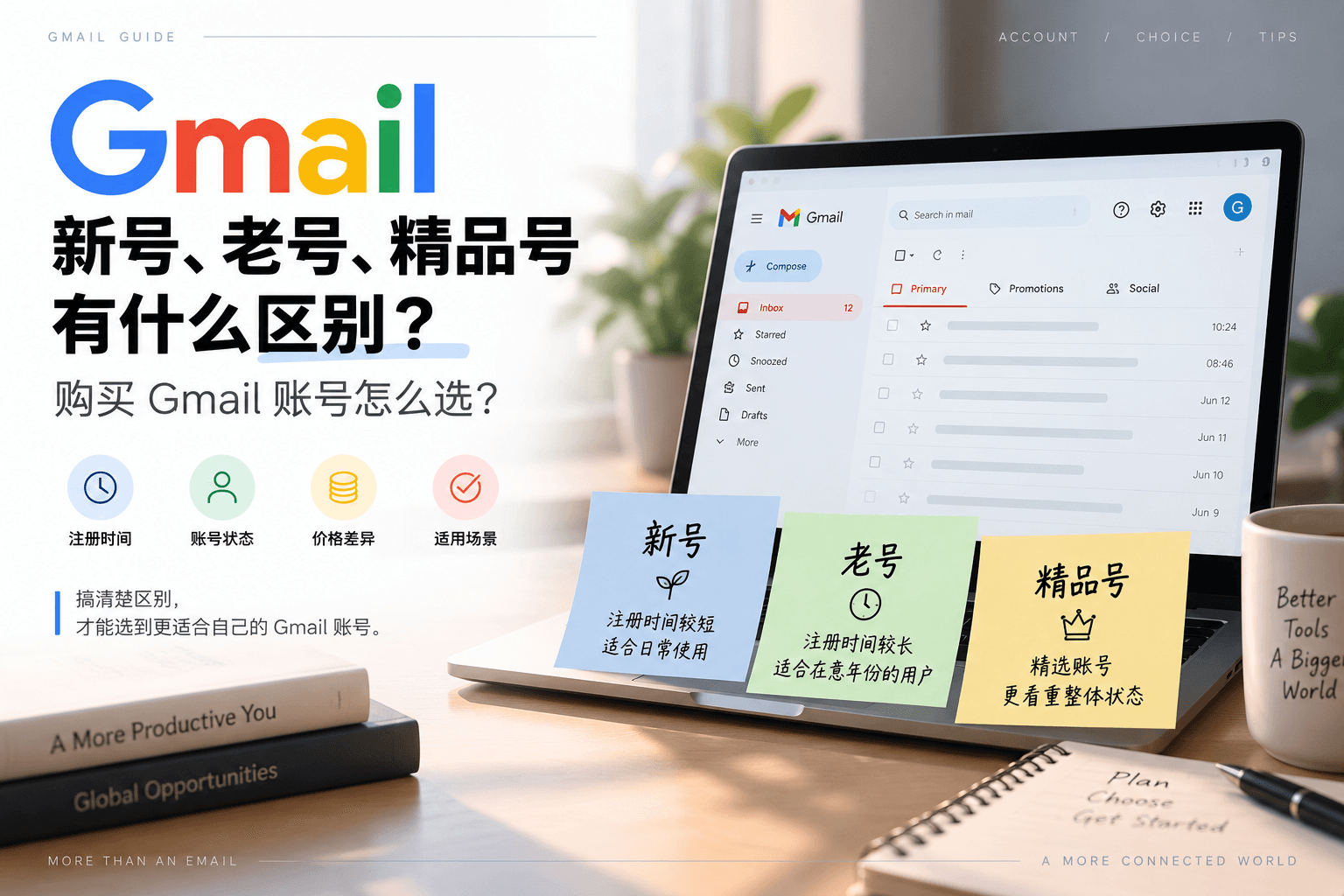
If you're new to buying Gmail accounts, it's easy to get confused by terms like "new account," "aged account," and "premium account." They're all Gmail addresses, yet some are priced very low, some cost more because they were registered earlier, and others are labeled "premium." So many people instinctively assume that new accounts are just ordinary accounts, aged accounts must be more stable, and premium accounts are the highest quality.
In reality, new, aged, and premium are not official Gmail account tiers defined by Google. They're common terms used in the account trading market to distinguish registration time, account status, and product specifications. So before choosing, what you really need to understand isn't which name sounds more high-end, but how these three types of Gmail accounts actually differ and which one suits your specific needs.
1. What Do New, Aged, and Premium Gmail Accounts Mean?
Different platforms may define account specifications differently, so when you see "new account" or "aged account," it's best to first check what criteria the seller uses for classification.
1. New Gmail Accounts
A new Gmail account generally refers to a Google account that was just registered. Its biggest characteristic is a short registration time and relatively little accumulated history. If you just need a normal Gmail address for use as a backup email, registering on ordinary websites, project testing, or other daily purposes, you don't necessarily need an account that's been around for years.
Of course, new accounts don't mean you'll never encounter Google's security verification. Significant changes in login device, network environment, or account security information can all affect the actual login experience, so you shouldn't simply equate "new" with "unusable."
2. Aged Gmail Accounts
The core difference with aged Gmail accounts is straightforward: the account has been registered for a relatively long time. However, there's no unified standard for how long counts as "aged."
Some platforms may define one year or more as aged, while others require two, three, or even longer. If you're buying an aged account mainly because you care about the registration year, it's best to confirm the specific year criteria before ordering, rather than just looking for the word "aged" in the product name.
Moreover: an aged Gmail account doesn't mean it's "always more stable than a new one." Account age only indicates that the Google account has existed longer; it doesn't by itself determine whether you'll encounter identity verification or security checks in the future. In actual use, factors like login device, network changes, password changes, recovery information, and two-step verification are equally worth attention.
So what you're really getting when you buy an aged account is "an earlier registration date," not some absolute security guarantee.
3. Premium Gmail Accounts
Compared to new and aged accounts, the concept of "premium" is more easily misunderstood. New and aged accounts can at least be distinguished by registration time, but premium accounts have no unified industry standard.
Some platforms call accounts with earlier registration years premium, while others consider account information, verification status, and historical usage. When you see "premium," you shouldn't just look at the product name—you should confirm what criteria the platform actually uses for screening.
Premium accounts can't simply be understood as "older Gmail accounts." When choosing this type, what's more worth examining is usually specific information like registration time, profile details, two-step verification status, recovery email, and historical usage status. If a platform just says "premium" without explaining what makes it premium, then it's necessary to further confirm the product specifications.

2. What's the Difference Between New, Aged, and Premium Gmail Accounts?
Looking at the three concepts together makes things much clearer.
| Comparison Item | New Gmail Account | Aged Gmail Account | Premium Gmail Account |
|---|---|---|---|
| Registration Time | Usually shorter | Usually longer | Not necessarily judged by time alone |
| Main Characteristics | Less history | Has existed for some time | More focus on overall account status |
| Price | Usually lower | Generally higher than new | Usually relatively higher |
| Suitable For | General use, backup, testing | Those who care about registration year | Those who care about account info and overall status |
| Purchase Focus | Whether it can log in and be taken over normally | Specific registration year, account info | Screening criteria, 2FA, info and usage records |
| Is it necessarily more stable than other types? | No | No | No |
So the real difference between new, aged, and premium accounts isn't simply three tiers of low, medium, and high.
New accounts mainly differ by shorter registration time, aged accounts emphasize registration year, and premium accounts are further screened based on overall account conditions.
If you just assume a "premium" account is right for you because of the word "premium," you may end up spending unnecessarily.
3. What Should You Really Look At When Buying Gmail Accounts?
Once you understand new, aged, and premium accounts, you shouldn't just look at these three names when actually buying. There are at least a few more pieces of information worth confirming:
1. Check the Registration Time First
If you're buying an aged account, the first thing is to confirm the seller's definition of "aged." One year, two years, and five years or more are clearly not the same thing.
Similarly, whether a new account was registered today, within seven days, or within a month should also be clearly stated.
2. Registration Region Also Matters
Besides account age, some users also care about the Gmail registration region. In that case, you shouldn't just focus on "new or aged"—you should compare registration regions as well.
Currently, Haoxiaoer's Gmail page lets you select account specifications and registration regions separately. You can see products from different regions like the US, UK, Germany, France, Japan, and South Korea, and inventory and prices vary by region. If you have a clear regional requirement, this kind of categorization is more convenient.
When actually choosing, you can first determine: what specification you need → whether you care about registration year → whether you need a specific region → then check inventory and price. This is much more reasonable than just picking the most expensive item.
3. Whether the Account Information You Receive Is Complete
Another often-overlooked issue when buying virtual accounts is exactly what information you'll receive. Just an email address is clearly not enough—you should at least confirm whether the login password is included and whether account-related information can be modified later. This kind of information is actually more worth checking first than how many "high quality" or "premium" labels are on the page.
4. Whether You Can Complete Your Own Security Settings Later
Successfully logging in is only the first step. If you plan to continue using the account, you should also promptly check security information like password, recovery email, and two-step verification, and reset the account information according to your own situation.
Also, don't keep someone else's security information long-term just because you bought a so-called "aged" or "premium" account. For accounts you use long-term, being able to modify and manage your own security information is often more important than the product name.
4. New, Aged, or Premium Gmail Account—How Should You Choose?
After reading the differences above, making a choice isn't actually that complicated.
For General Use, Start with New Accounts
If you just need a Gmail address as a backup account, website registration email, or for daily use, and you don't have special account year requirements, a new account can usually meet your basic needs.
There's no need to spend extra on a registration year you'll never use.
If You Clearly Care About Registration Year, Choose Aged Accounts
If your use case clearly requires an account that has existed for a long time, then considering an aged account makes more sense.
In this case, the focus isn't the name "aged account," but confirming exactly how long it's been registered.
When you see the product page, look for the year criteria first, rather than ordering just because you see the words "aged account."
If You Care More About Overall Account Status, Compare Premium Accounts
If, besides registration time, you also value account information, 2FA, historical usage status, and similar factors, then premium accounts are more worth comparing further.
But again: first understand what the platform's so-called "premium" actually means.
If it's just a different name with no clear screening criteria, then the label itself has little reference value.
If You Have Regional Requirements, Determine Region Before Specification
There's also a group of users with a clear need: a Gmail account registered in a specific region.
In this case, region may be more important than new or aged.
For example, Haoxiaoer currently separates "account specification" and "registration region" for selection. You can first determine whether you need a new, aged, or premium account, then check whether the corresponding region has inventory.
This approach is much clearer than simply picking accounts from highest to lowest price.

5. Why Do Gmail Accounts Vary So Much in Price?
Many people also notice when first looking at Gmail product pages: they're all Google email addresses, so why can prices differ so much? The reasons are usually not singular: registration time, registration region, account information, verification status, screening criteria, and current inventory can all affect the final price.
For example, a recently registered ordinary Gmail and an account registered several years ago that has undergone further screening may have different acquisition and screening costs. When inventory in certain regions is low, prices may also change accordingly. However, note that: a higher price doesn't mean you'll never encounter security verification. A more expensive account may mean an earlier registration year or more screening criteria, but Gmail itself is still subject to Google's account security mechanisms. A more reasonable approach when choosing isn't to "just buy the most expensive one," but to decide based on your needs which conditions are worth paying for.
Choosing a Gmail account is actually quite simple: use new accounts for small tests, aged accounts for daily registrations, and premium accounts for core business. Spend a minute reading the specifications before buying, and set up proper anti-risk-control environment isolation after receiving the account, and you can avoid over 90% of pitfalls. If you need Gmail accounts with clear specifications and fast delivery, you can go directly to Haoxiaoer's Gmail Google Email Purchase page to find the specification that best fits your current business needs before ordering.
Related Q&A
Q1: After successfully logging into Gmail for the first time, should I immediately change the password and recovery email?
It's recommended to let it sit for a while and not make major changes immediately. When you first log in on a new device, the trust between the account and the current environment hasn't been established yet. If you immediately perform sensitive security operations like "changing the password, unbinding the phone, or changing the recovery email," it's very easy for the system to mistakenly flag it as illegal account theft and trigger a forced lock. A safer approach is to keep the device online for 1 to 3 days after logging in, and then gradually update your personal security information once the environment is stable.
Q2: Can I log into multiple purchased Gmail accounts in bulk using the same IP environment?
Strongly not recommended. Frequently switching between multiple Gmail accounts in the same browser or under the same node IP can easily trigger Google's associated risk control, causing multiple accounts in the same environment to face verification or even bans together. If you need to operate multiple accounts simultaneously, it's recommended to use fingerprint browsers (such as AdsPower, Hubstudio, etc.) with clean, distributed proxy IPs to ensure environment isolation.
Q3: If I don't bind my own phone number to a purchased Gmail account, can I use it long-term?
For short-term temporary testing or as a backup email, you can leave it unbound. But if you plan to use it stably long-term, it's strongly recommended to bind your own phone number and enable two-step verification (2FA). Accounts without a bound security phone and independent recovery email can easily lose recovery access if they trigger remote security risk control or you forget the password in the future.
Q4: The Gmail account I bought comes with a "two-step verification (2FA) key." How do I use it when logging in?
Accounts with 2FA usually come with a "key string" made up of letters and numbers. After entering the account and password on first login, when the page prompts for a two-step verification code, simply copy the key into an Authenticator app, or use an online 2FA decoding tool to generate a 6-digit dynamic verification code, and enter it in the login box to complete verification.
Q5: If I don't log into a Gmail account for a long time, will Google reclaim or delete it?
Yes. According to Google's personal account inactivity policy, if a Google account has no login or usage records for more than 2 years (including checking emails, using Google Drive, watching YouTube, etc.), Google has the right to periodically clean up and delete the inactive account and its internal data. Therefore, it's recommended to log into important accounts regularly to keep them active.