Buying an Apple ID: What to Check Before You Order
Choose an Apple ID for your intended use and review regional availability, included credentials, and support terms.
Buying an overseas Apple ID sounds simple enough, but it can be a hassle. If you've bought a few, you'll know the market is all over the place and the experience varies wildly: some sellers just hand you an account and leave you to figure out the rest; others have vague product descriptions, and you only realize after paying that it's not the type you wanted. The key to choosing an Apple ID account really comes down to three things: clear categorization, fast delivery, and someone to help if something goes wrong. By that standard, HaoXiaoer is one of the more hassle-free options. It clearly separates Apple IDs by purpose and region, and users can check prices, stock, and delivery details directly on the website. Below, we'll cover platform selection, account purchasing, and everyday safe usage—how to buy an Apple ID and what makes HaoXiaoer worth considering.
1. Recommended Platform for Buying an Apple ID
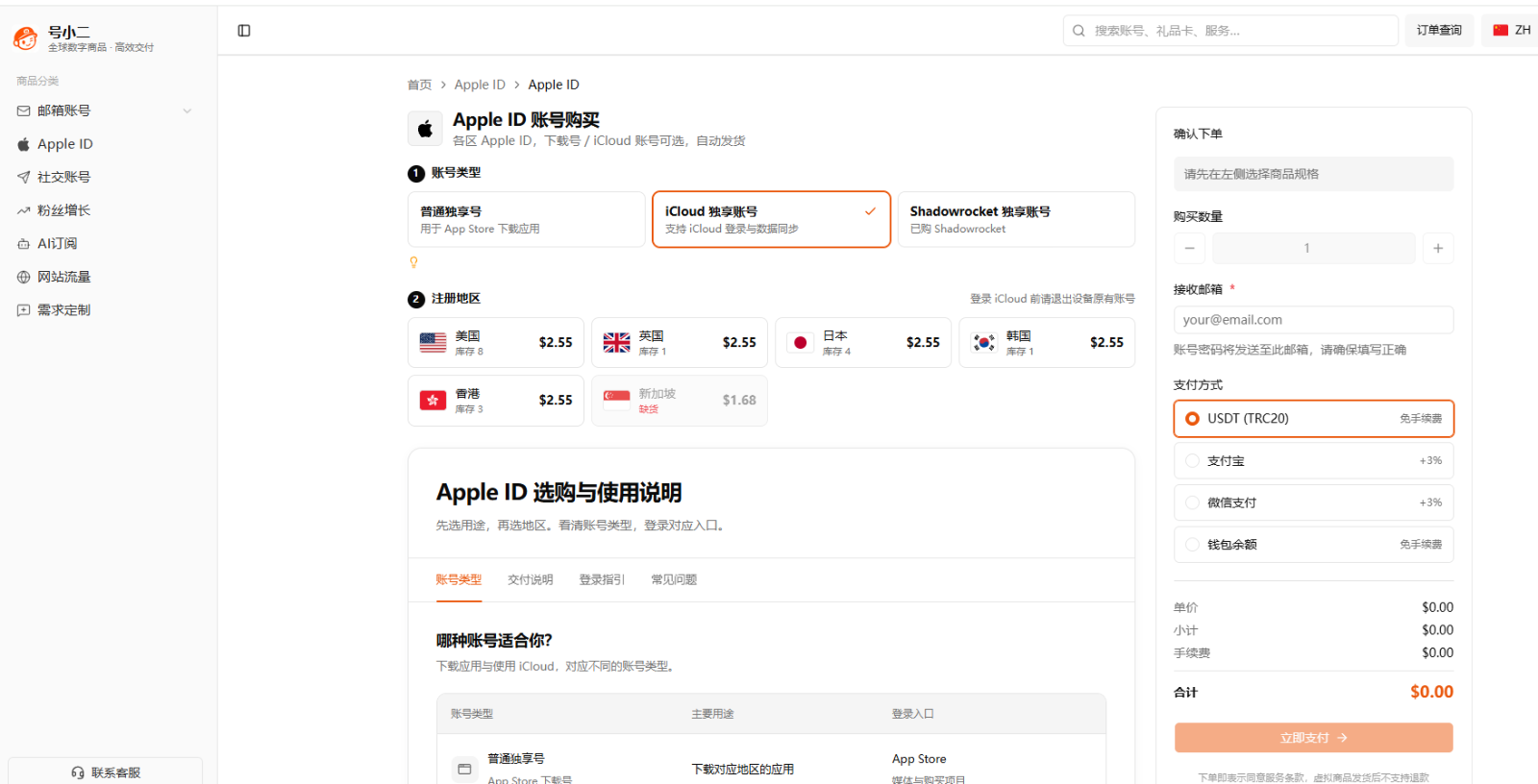
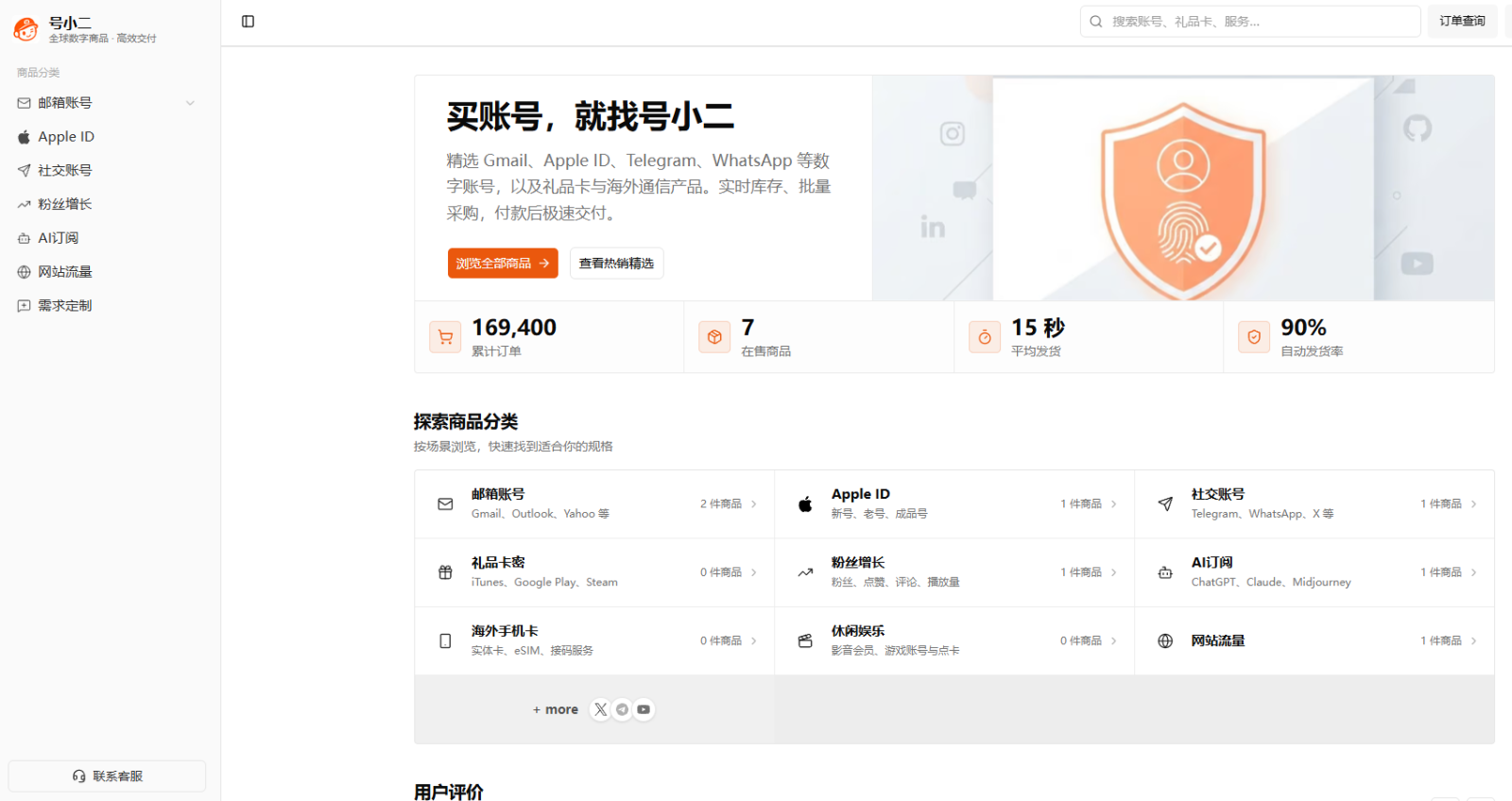
Of all the Apple ID purchase platforms I've used, HaoXiaoer is the one I'd recommend most overall. HaoXiaoer is a one-stop platform for overseas digital accounts and digital goods. Besides Apple IDs, it also offers Gmail accounts, overseas social media accounts, gift cards, AI tools, and more. Its Apple ID product page doesn't lump all accounts together—it displays them by use case and registration region.
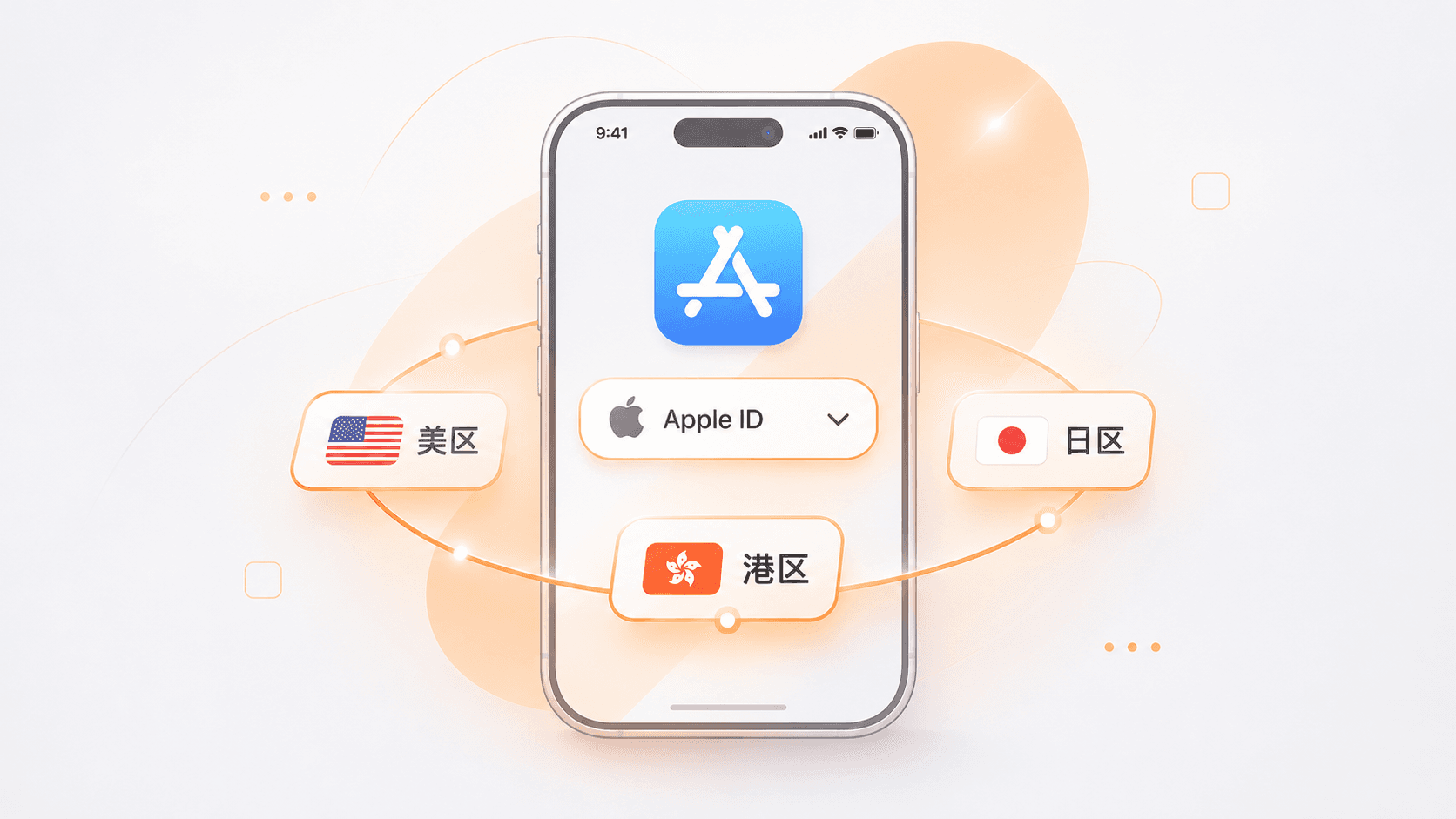
HaoXiaoer's current Apple ID section offers standard exclusive download accounts, iCloud exclusive accounts, and Shadowrocket pre-purchased app accounts. Regions include the US, UK, Japan, South Korea, Hong Kong, and more. On the product page, you first choose the account type, then the region, and you can see the price and stock right away. This is very beginner-friendly for first-time buyers of overseas Apple accounts: for example, if you want to download apps from the US App Store, just select a US download account; if you need Japanese apps, check the corresponding Japan products. No need to contact the seller first and ask about specs one by one.
In addition, HaoXiaoer's product pages show usage instructions and delivery information. For a digital product as special as an account, knowing in advance what you're buying and what materials you'll receive after payment is more important than simply comparing prices.
What won me over about HaoXiaoer comes down to these aspects:
Clear product specifications: Apple IDs for different purposes are sold separately, so users can choose based on actual needs without paying for features they won't use.
Multiple regions available: Products are available for the US, UK, Japan, South Korea, Hong Kong, and other regions, so you can pick based on the store region of your target app.
Prices and stock displayed directly: No need to contact customer service every time to ask about availability—the product page shows the relevant information.
Self-service ordering and automatic delivery: After payment, you get the account details through the order process without waiting for a human to send them.
Clear after-sales channel: If you have issues with the first login, you can submit a ticket according to the platform's published rules, and online customer service provides ongoing support.
For people who frequently need overseas digital accounts, sticking with a platform that has clear product categories and order tracking is much more convenient than hunting for individual sellers each time.
2. How to Choose an Apple ID
Before buying, don't rush to look at the price. Apple IDs serve different purposes, and the right product varies. HaoXiaoer displays different specifications separately, so you can judge based on your needs when choosing.
1. Standard Exclusive Download Account
If you're buying an Apple ID solely to download overseas apps, a standard exclusive download account usually fits the bill. For example, if an app isn't available in the domestic App Store, or a game is only released in the US, Japan, or another region, you can choose a download account for the corresponding store region.
HaoXiaoer offers standard exclusive accounts for multiple regions, mainly for App Store login and app downloads. When using it, you can sign in under "Media & Purchases" in the App Store without signing out of your device's primary iCloud account. This is very practical for users who already have their own main Apple account. Your original account can continue managing photos, contacts, and device backups, while you use the regional account for downloading overseas apps.
2. iCloud Exclusive Account
If you need iCloud-related services, check HaoXiaoer's iCloud exclusive accounts: these accounts have a different scope of use from standard download accounts, involving iCloud login, data syncing, and other functions. Before purchasing, carefully review the delivery materials and usage instructions, especially requirements regarding account passwords, security verification, and recovery information.
A word of caution: iCloud involves important data such as personal photos, files, and device backups. Third-party purchased accounts carry risks regarding account control and recovery permissions, so it's not advisable to store important personal data without full confirmation. For long-term management of personal data, prioritize an Apple account you registered yourself and whose security information you control.
3. Shadowrocket Pre-Purchased App Account
Many people buy a US or Hong Kong ID not to browse the store but to get a specific paid app. For this need, HaoXiaoer separately lists Shadowrocket account purchases, saving you from digging through standard download accounts or having to mess with gift card top-ups after buying.
If you're really unsure which one to order, check the page descriptions first, or ask the online customer service to confirm before paying.
3. Why Choose HaoXiaoer? Advantages of the Purchase Process and Service
When buying digital accounts, the real frustration often isn't at checkout—it's how long after payment until you get the account, where to find the details, and who to contact if the password is wrong or you can't log in. If these steps aren't smooth, buyers can easily end up feeling stuck.
HaoXiaoer's transaction and after-sales flow is fairly straightforward, with core steps built around self-service:
Self-service ordering saves communication hassle: Once you've selected the account type and region and confirmed stock and price, you can check out directly. Make sure to enter the correct delivery email when placing the order—account details are sent to that email and can also be viewed anytime in the site's order center. For users with a clear goal, there's no need to repeatedly confirm with the seller "are you there" or "which region do you send"—much more efficient.
Automatic delivery, no waiting around: The platform has automatic delivery configured for Apple ID products, with product pages stating delivery within 3 seconds after payment. Once payment is complete, you can view or retrieve the details on the order page, usually including the account, password, and corresponding security verification information for the specification (exact fields depend on the actual product description). No need to sit in a chat window urging a human to send the card.
Flexible payment methods: Currently supports Alipay, WeChat Pay, and other common methods—pay however is convenient for you, without having to deal with foreign currency cards just to buy an account.
First-login guarantee and ticket-based after-sales: Account products still need to pass the first login. If you encounter a wrong password or verification issue, HaoXiaoer offers a first-login guarantee: as long as you keep a complete screen recording of the first login as required and submit a ticket through the corresponding order, customer service will arrange a replacement after verifying it meets the after-sales rules. The site also has 24/7 online customer service, so there's someone to ask about specifications before purchase and to check progress after.
But read the rules carefully in advance: the platform clearly states that virtual goods are non-refundable after normal delivery, so be sure to double-check the type, region, and description before paying; also, the "first-login guarantee" covers the initial login verification after delivery, not a permanent warranty—the specific after-sales boundaries are subject to the page rules at the time of purchase.
4. How to Use Your Apple ID After Receiving It
Getting the account doesn't mean you can ignore security. Especially when using an overseas Apple ID for the first time, it's best to verify the product details first, then choose the correct login entry based on the account type.
1. Verify Delivery Details Upon Receipt
After completing an order with HaoXiaoer, check the following: whether the Apple ID matches the order; whether the login password is complete; whether the registration region matches the purchased specification; and whether the security information promised for the product is complete. Different account types may provide different information—don't assume one product's delivery format is the universal standard for all accounts. If you find discrepancies with the order, don't repeatedly try to log in; keep the order information and contact customer service.
2. Don't Mix Login Entries for Download Accounts and iCloud Accounts
This is a common mistake when using an Apple ID for the first time: if you bought a standard download account, you usually just open the App Store, tap the profile icon in the top right, and sign in under "Media & Purchases." If you bought a Shadowrocket pre-purchased app account, you also access the app through the corresponding App Store entry. If you bought an iCloud account, it involves signing in to the Apple account in the device's system settings. Before logging in, confirm that the device's original account is properly handled and understand the potential impact of signing out of the original account.
Special reminder: if you're only downloading apps, there's no need to sign out of your original primary iCloud account. This avoids affecting your personal photos, contacts, and device backups.
3. Don't Casually Disclose Account and Verification Information
Apple accounts involve personal information, payment details, and security settings. Apple officially advises users not to provide account passwords, verification codes, recovery keys, or other security information to others. For third-party purchased digital accounts, use them strictly according to the product's intended purpose, don't casually pass them to others, and never enter account passwords on unknown websites. If you plan to use your own Apple account long-term, manage passwords, two-factor authentication, and account recovery information through official channels.
4. Don't Treat a Third-Party Account as Your Primary Personal Account
If you only bought a standard App Store download account, use it for downloading rather than replacing your device's primary iCloud account. Photos, contacts, files, and device backups are important personal data—best managed with an Apple account you registered yourself and whose full security information you control. Also, Apple's official terms of service have restrictions on account sharing and transfer. Accounts provided by third-party platforms do not represent official Apple authorization and cannot guarantee the account will remain unrestricted permanently. Understand the relevant usage conditions before purchasing.
5. How to Avoid Buying the Wrong Product When Purchasing an Apple ID
Many buyers feel they "bought the wrong thing" simply because they didn't clarify their needs before paying. Spend half a minute going through these four points before ordering, and you'll basically avoid the pitfalls:
First check which region your target app is in: Don't just follow the crowd and buy whichever region is popular—confirm whether the software or game you want is available in the US, Japan, or Hong Kong store, then choose the account by region.
Distinguish account types: For downloading free apps only, choose a standard exclusive download account; if you're after a specific paid app, check whether there's a corresponding pre-purchased app account; if iCloud login is involved, confirm the security information permissions in advance.
Read the product page description and after-sales terms carefully: Before paying, review the product title, region, stock, delivery fields, and after-sales conditions—especially the rule that virtual goods are non-refundable after delivery—and only check out once confirmed.
Keep order screenshots and a first-login screen recording: Before your first login with the received details, start a screen recording. If the account has issues, having complete recording evidence for the ticket will make resolution much smoother.
When choosing an overseas Apple ID, don't focus only on the price. Whether the account's purpose matches, whether product information is transparent, whether automatic delivery works after payment, and whether someone helps if the first login fails—these are the keys to a good purchase experience. If you're planning to get a US, Japan, or other overseas Apple account, why not head straight to HaoXiaoer's Apple ID section to check current specifications and stock, and pick the one that best fits your actual use. If you also need Gmail, overseas social media accounts, gift cards, or various AI tool accounts, you can explore those on the site as well.
FAQ
1. Will logging into a purchased overseas Apple ID erase the original photos and contacts on my phone?
No, as long as you don't log in in the wrong place. If you bought a "standard exclusive download account" or "Shadowrocket pre-purchased app account" from HaoXiaoer, just open the App Store on your phone, tap the profile icon in the top right, scroll to the bottom, sign out of the current account, and sign in with the new one to download apps normally. Never sign out of your own primary iCloud account in the phone's system "Settings"—that way your original photos, notes, contacts, and cloud backups won't be affected at all.
2. How soon will I receive the US or Japan Apple ID after payment? Do I need to wait for customer service to send it manually?
No need to wait for manual sending. On platforms like HaoXiaoer that support automatic delivery, after you select the account type and region, enter the delivery email, and complete payment, the system usually delivers automatically within 3 seconds. You can view or retrieve the account, password, and corresponding security verification information directly in the site's order center—no need to sit in the chat window urging the seller.
3. I only want to download Shadowrocket—should I buy a standard US download account or a pre-purchased app account?
Buying a pre-purchased app account is more hassle-free. A standard US download account is essentially empty; if you want to download paid software afterward, you'd have to buy a US gift card and redeem it yourself—a cumbersome process. In HaoXiaoer's product section, "Shadowrocket pre-purchased app accounts" are listed separately; once purchased, you can download it directly from your App Store purchased items, saving you the trouble of top-ups.