Regional Apple IDs: Choosing US, Japan, or Hong Kong
Compare regional App Store accounts and choose the account type, storefront, and delivery terms that match your intended use.
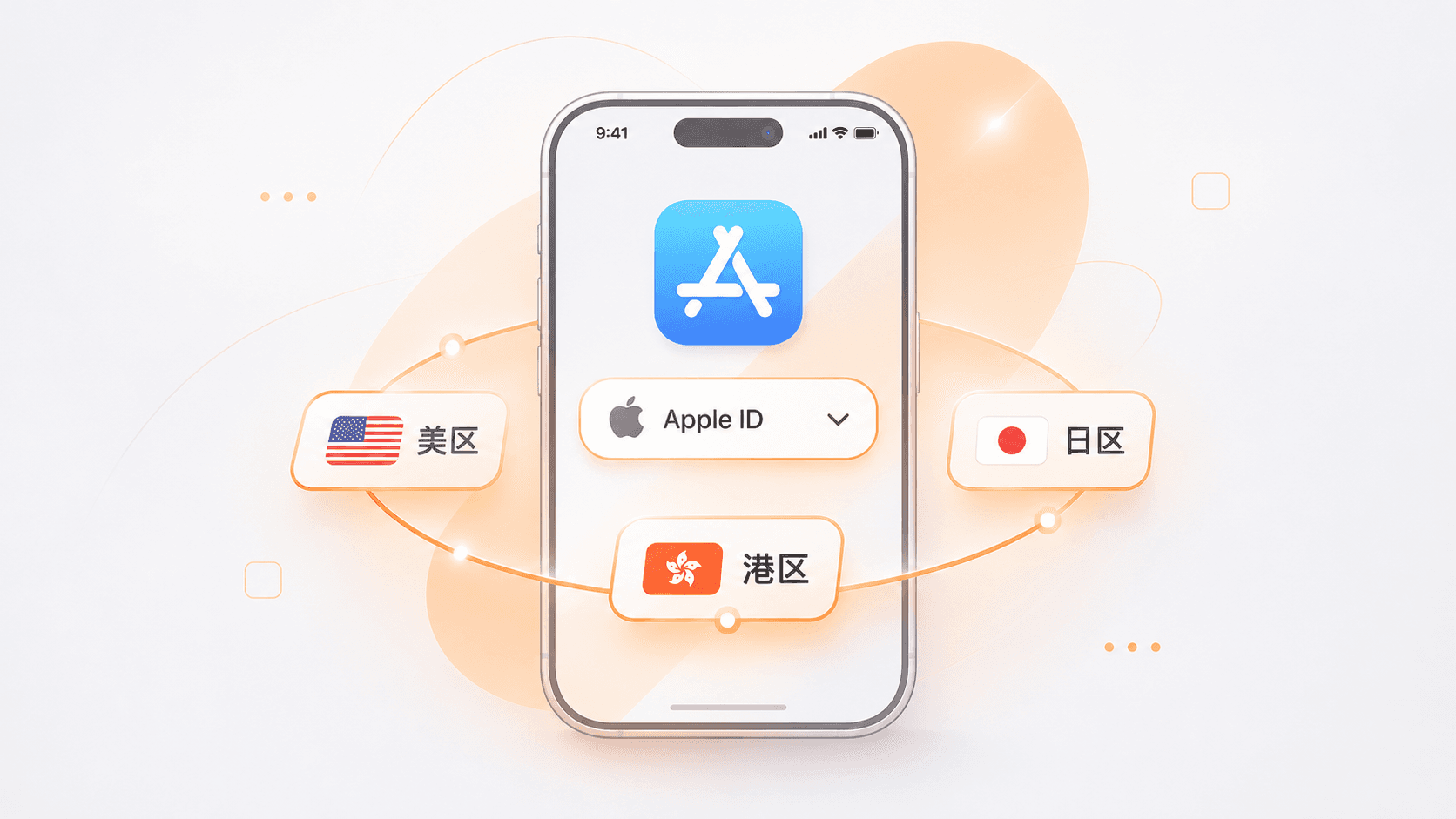
If you have tried using an international Apple ID to download a game, install a regional app, or subscribe to an Apple service, you may recognize the frustrations. My own registration attempts stalled at payment verification for Hong Kong and phone verification for the US. Buying ready-made accounts was not trouble-free either: one was locked after a week and its seller disappeared; another had been sold to multiple people and kept signing me out.
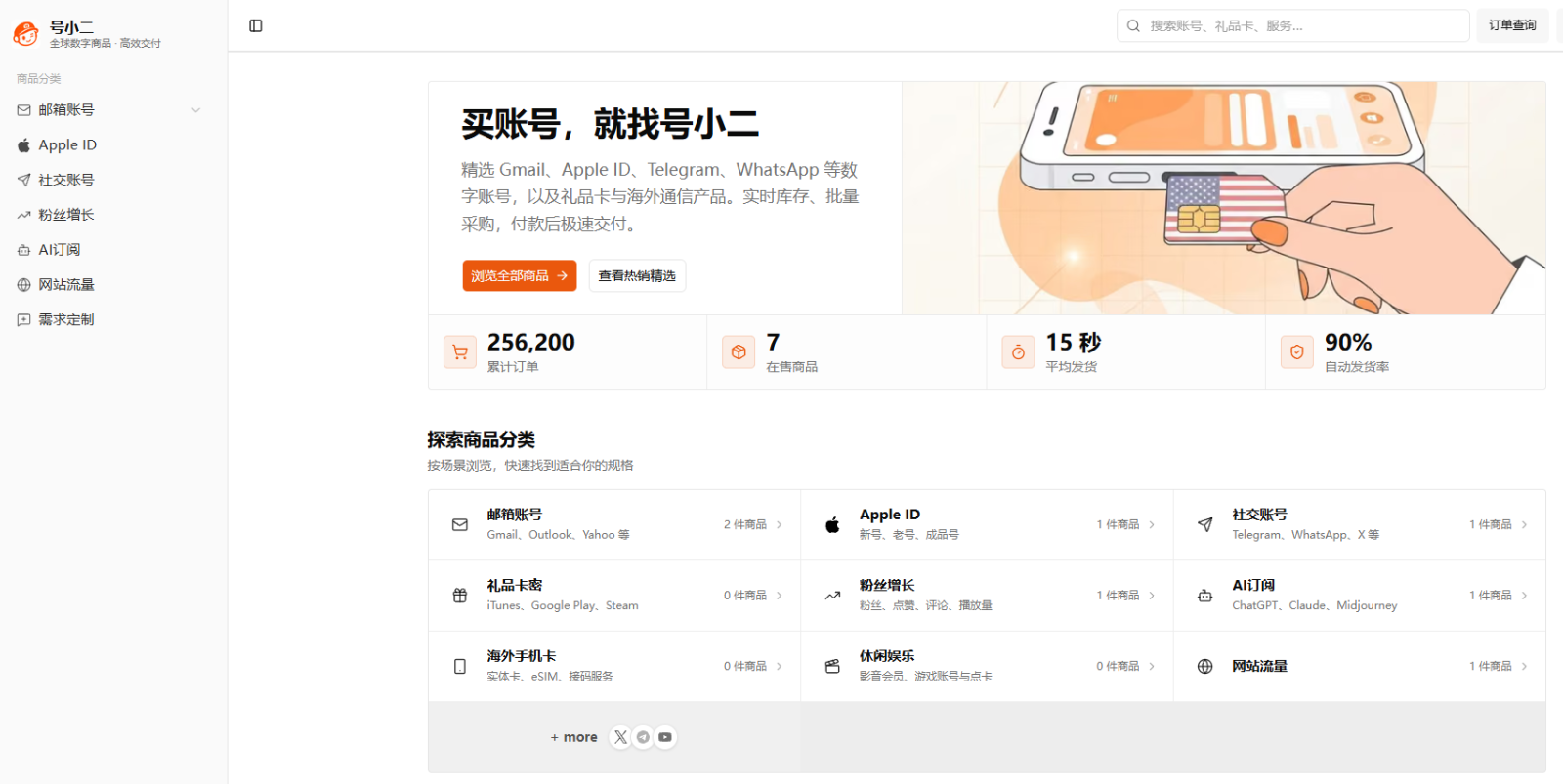
I eventually moved to HaoXiaoer. Over nearly two years, I have bought US and Hong Kong accounts there with a more consistent experience. Here is how I compare the US, Japan, and Hong Kong options, and the platform features I look for before buying. These are my experiences, rather than a guarantee of how every account will perform.
US, Hong Kong, or Japan: which region fits your needs?
Choose the storefront for the app or service you need. These three regions serve different purposes.
The US store has a broad selection of international social apps, AI tools, professional software, and games. Some apps launch there first or are available only in that storefront. It is a useful starting point when searching for an international app, but check the app’s current availability before buying. Payment also needs attention: you may need a compatible US payment method or regional gift card.
Hong Kong can be convenient for customers who prefer Traditional Chinese and want access to international games, tools, or streaming apps. Hong Kong-dollar gift cards may also suit customers buying paid apps or subscriptions. Check both the app listing and the payment requirements for the service you intend to use.
Japan is most relevant when you specifically want Japanese game releases, anime-related apps, or content limited to that storefront. If a Japanese release is your goal, look for that regional account; otherwise, there may be no reason to choose it over another available region.
Use the US store as a starting point for international apps, Hong Kong for a familiar Traditional Chinese experience, and Japan for Japanese releases. The target app’s availability should decide the final choice.
Why I use HaoXiaoer for regional Apple IDs
Individual sellers and small online stores offer many regional accounts. I settled on HaoXiaoer because its product pages and order process address several problems I had encountered elsewhere.
Account control was my first concern. A seller who retains the original recovery information may still be able to recover an account. Check which registration and security details are supplied, and which ones you can change. Update the available password and recovery settings to information you control. Do not assume that a “private” label alone eliminates recovery risk, particularly when app purchases or game progress become valuable.
I also care about the account’s condition. Some cheap accounts I tried raised security warnings immediately and were locked soon afterward. My experience with HaoXiaoer’s accounts has been more consistent: a Hong Kong account I used for nearly two years only prompted verification when I changed devices. That experience does not mean an account is exempt from Apple’s security checks.
Automatic delivery is convenient. I can retrieve account details in the order after payment without waiting for support staff to come online. On one occasion, I bought a US account late at night and received the details without arranging anything in chat.
Having an order record, instructions, and a support channel also helps. If I need help with security information or a sign-in prompt, I can refer to the order and the relevant guide. Check the product’s support period and conditions rather than assuming support lasts indefinitely.
The catalog also covers regions beyond these three and includes regional gift cards, which can save another search when a compatible top-up is needed. Check the exact region and product conditions before paying.
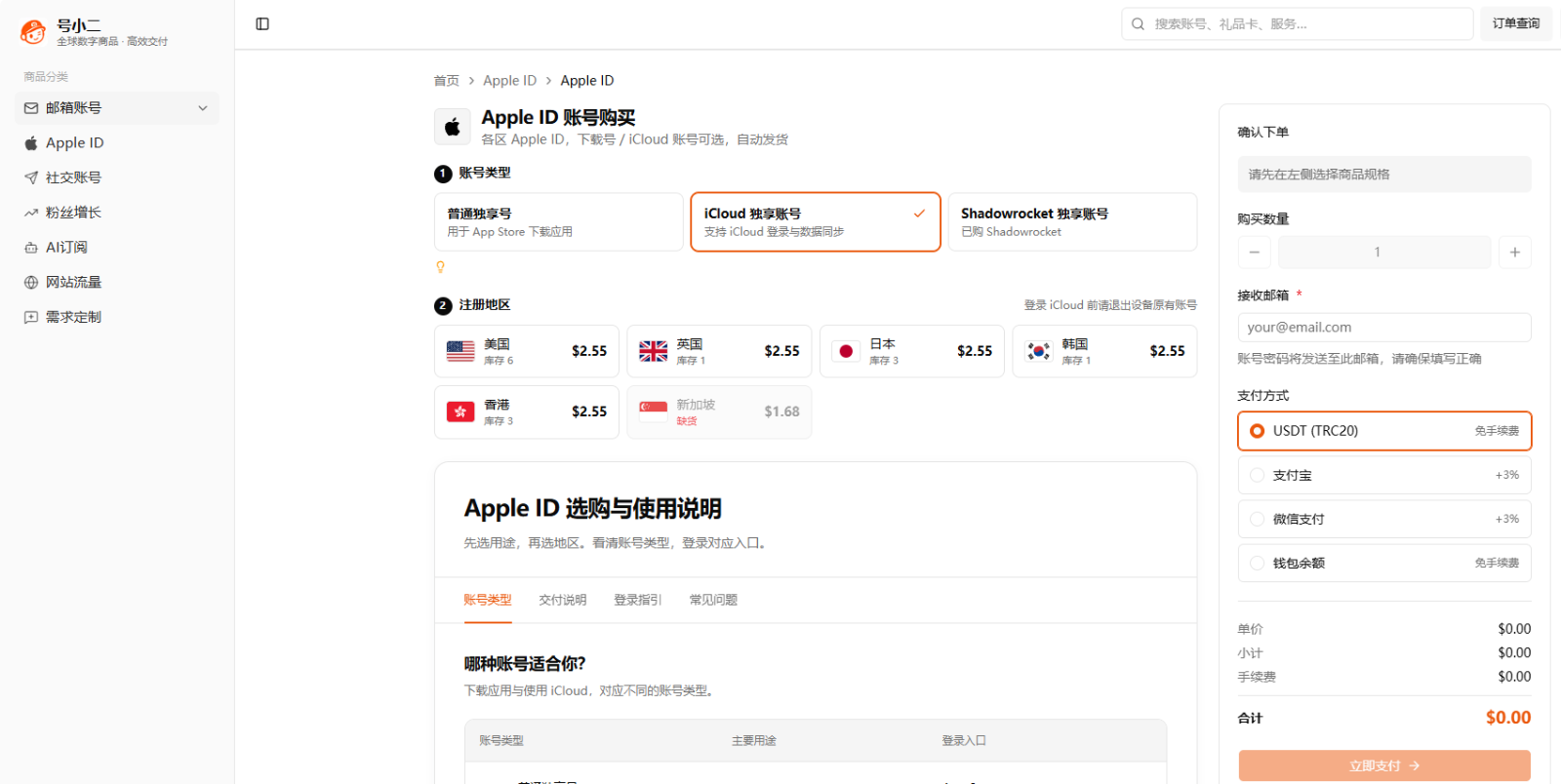
Choose the account type as well as the region
HaoXiaoer separates Apple IDs into three main uses. Choose the category you need so you are not paying for unrelated features.
An ordinary private download account is for signing in to the App Store and downloading apps. For a regional game or a tool absent from your current storefront, that may be sufficient. Keep your existing iCloud account on the device and use the download account only in the appropriate App Store sign-in area.
For cloud syncing and iCloud services, review the private iCloud account category. These accounts involve device-level services, backups, and contacts, so they require much greater care. Understand the existing device account and the security implications before changing any system-level sign-in or enabling unfamiliar features.
There is also a separate Shadowrocket account category. The app has already been purchased on that account, so this option is intended for customers who specifically need that download. Read the terms for updates and redownloading; the purchase remains associated with the supplied Apple Account.
The product page explains each account’s purpose and where to sign in. Read it before choosing.
Using a regional Apple ID: practical precautions
A clearly described purchase still needs careful handling after delivery.
For an App Store download account, use only the App Store sign-in. Do not sign in to iCloud in device Settings. Downloading apps does not require replacing your main iCloud account, and a problem with an App Store account should not be allowed to become a device-level account problem. Read the guide before signing in.
Review the supplied security information before downloading apps. Where the account allows it, set a password, recovery email, security answers, and other recovery details that you control. Confirm what can actually be changed.
Avoid repeatedly switching the same account between storefronts. If you need several regions, check the requirements for each rather than changing the country back and forth. Frequent changes can lead to payment or account restrictions.
Use payment methods or genuine gift cards compatible with the storefront. Do not assume a payment method from another country will be accepted. HaoXiaoer lists regional gift cards, but you still need to match the card to the account’s region and the relevant redemption rules.
Keep the account private. Sharing it widely or signing in from many devices and locations can lead to security checks or a lock.
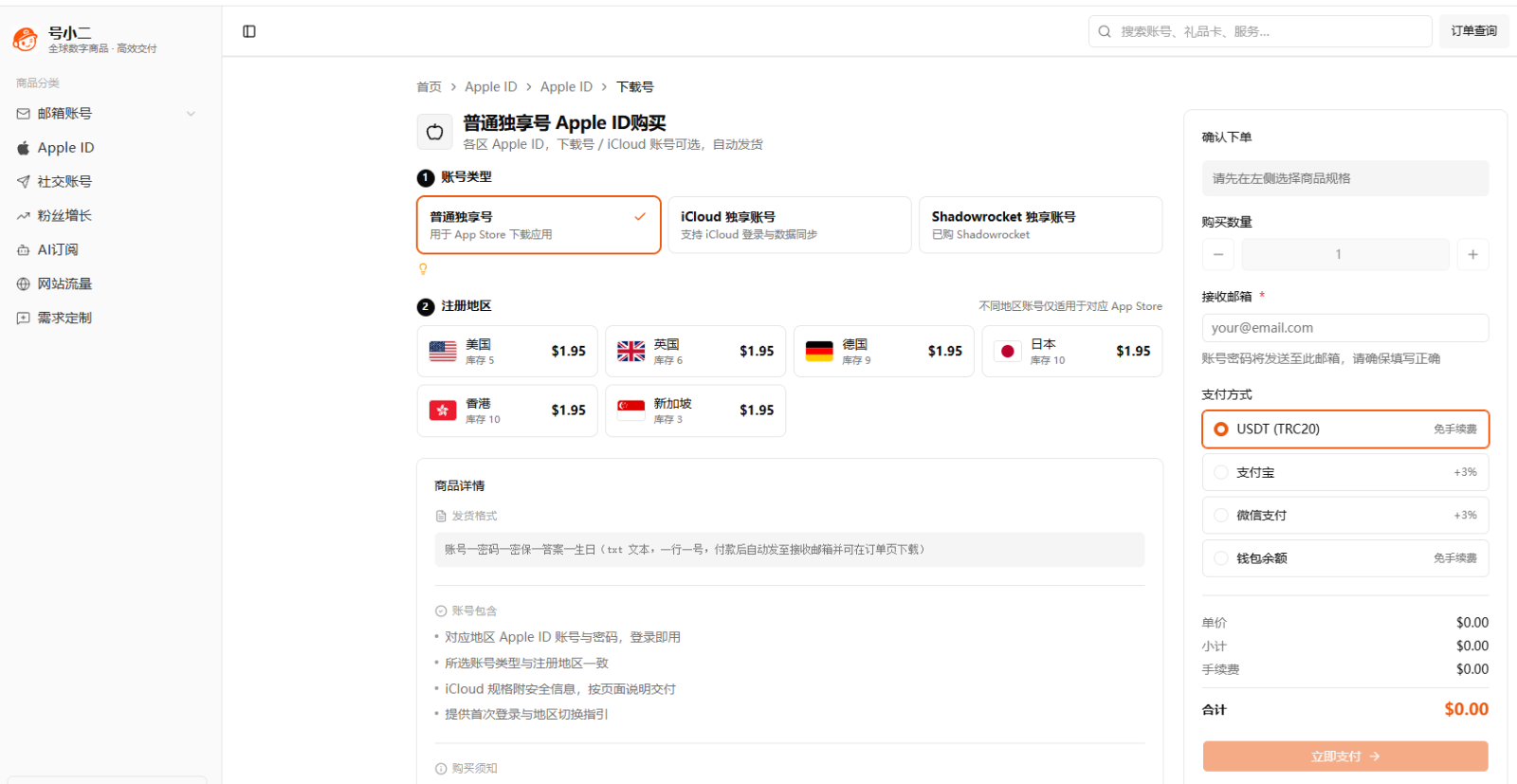
For me, clear specifications, complete delivery information, and a support channel matter more than a small price difference. Choose an entry-level option in the region you actually need before paying for features you will not use. Read the account-control limits and support terms, and treat continued access as something you must manage rather than a permanent guarantee.
Frequently asked questions
How can I choose a provider and reduce account-recovery risk?
Avoid a sale with unclear credentials or no written support terms. A digital goods platform such as HaoXiaoer lets you check the specification and automatic delivery details first. Confirm whether recovery information and security answers are supplied, update the settings you can control, and keep the order record. No provider can eliminate every future account-recovery risk.
Which should I choose: US, Hong Kong, or Japan?
Choose the storefront where your target app is available. The US has a broad international catalog; Hong Kong may suit customers who prefer Traditional Chinese; Japan is useful for Japanese releases. At HaoXiaoer, check the regional categories and the current product description rather than choosing a region solely on someone else’s recommendation.
Why should a purchased download account stay out of iCloud Settings?
An App Store download only requires the relevant App Store sign-in. Signing the same third-party account into iCloud can link it to device-level services and introduce lock or recovery problems. Keep your main iCloud account separate and follow the product’s sign-in instructions.
Which account should I choose for Shadowrocket on iPhone?
An ordinary US download account does not necessarily include any paid apps. If Shadowrocket is the reason for your purchase, check the dedicated category on HaoXiaoer. It lists accounts with that app already purchased, avoiding a separate app purchase through the supplied account. Confirm the download, update, and usage terms before ordering.