How to Choose a Gmail Account Purchase Platform? Pitfall Avoidance Guide, Key Buying Points, and Account Nurturing Tips
Learn how to choose a secure Gmail account platform. Key evaluation criteria include automated delivery, clear specs, and login warranty. Plus, essential account warming tips for beginners.
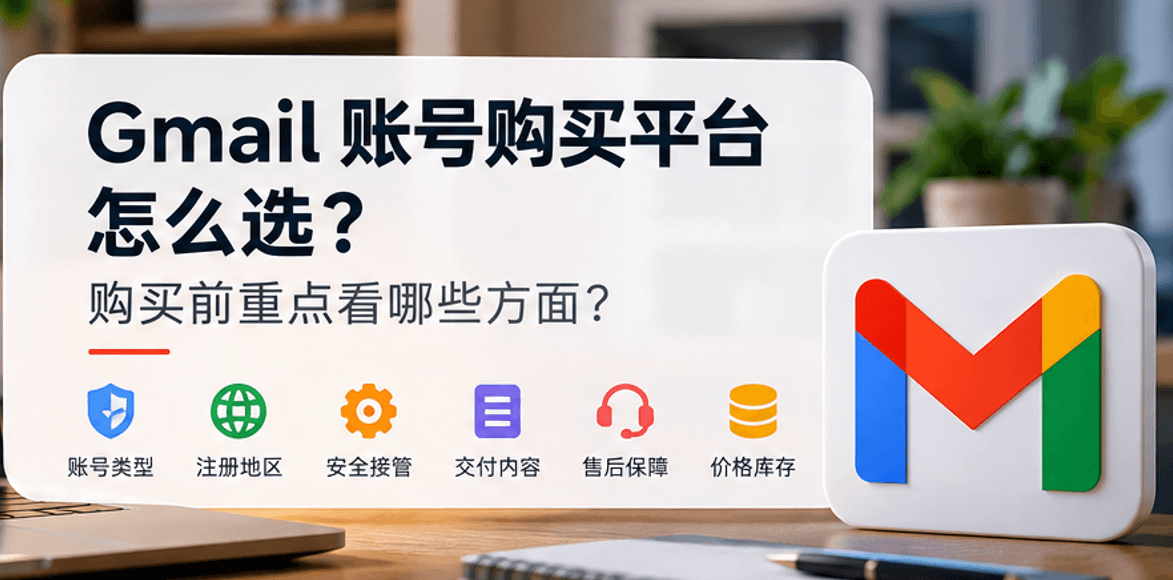
Whether you're doing cross-border e-commerce, overseas social media management, building an independent website, or registering for AI tools like OpenAI and Claude, a stable and reliable Gmail account is essential infrastructure. However, many friends new to overseas business often run into pitfalls when buying Gmail accounts: some get banned immediately after logging in, some receive duplicate "one account sold multiple times" junk accounts, and some can't even find customer service after payment. The market is full of account trading platforms—how do you choose? What should you look for before ordering? And how do you use the account safely after purchase? Drawing on the real experiences of several overseas business veterans, this article provides a comprehensive buying and pitfall-avoidance guide from four angles: platform selection, account details, post-purchase account nurturing, and common error handling.
1. Buying Gmail Accounts: Focus on These 4 Platform Dimensions
1. Delivery Efficiency: Does It Support "Fully Automatic Instant Delivery"?
The worst thing about buying accounts is "time zone delays" and "slow manual replies." Traditionally, finding private sellers through forums or Telegram groups often means waiting for them to manually pull and send accounts, which is inefficient and carries high transaction risk.
What a quality platform looks like: It uses an automated delivery system. As soon as payment is complete, the system immediately displays the account password, recovery email, 2FA key, and other complete information on the web page, and simultaneously sends it to your receiving email—ready to use right after purchase.
2. Are Account Categories and Specifications Transparent and Clear?
Different businesses have completely different needs for Gmail. Registering a temporary forum account versus using it for Google Ads campaigns or as a primary business email requires completely different levels of account stability.
What a quality platform looks like: It divides account specifications very carefully, clearly labeling registration time, login format, and applicable scenarios. For example:
Brand new direct-login accounts: Suitable for lightweight registrations and receiving verification codes;
Durable accounts with 2FA (two-factor authentication): Extremely secure, suitable for frequent logins from different locations/multiple nodes;
Aged/year-based accounts: Registered over 1 year ago, high authority and strong anti-ban capability, suitable for taking over important business;
Region-specific accounts: Such as accounts registered with native IPs from the US, Hong Kong, etc., meeting login requirements for services in specific regions.
3. Payment Convenience and Buyer Privacy Protection
When buying overseas accounts, try to choose platforms that don't require cumbersome foreign exchange payments or mandatory binding of sensitive personal information.
What a quality platform looks like: It supports mainstream domestic payment methods (such as Alipay, WeChat, etc.) or digital currency payments, and does not require real-name verification when ordering. It only retains an order receiving channel, protecting buyer privacy to the greatest extent.
4. After-Sales Policy and "First Login Guarantee"
Because Google's risk control for logins from different locations is very strict, beginners with unclean network IPs can easily trigger verification on their first login.
What a quality platform looks like: Does it dare to promise "replacement if first login fails"? Does it have a clear after-sales period (e.g., 24 hours) and online customer service? Whether the platform can promptly resend if you encounter problems at the first login step is key to testing whether a website operates stably long-term.
Comprehensive Comparison of Different Gmail Purchase Channels
| Comparison Dimension | Forum/Group Private Sellers | Unsecured Low-Quality Small Platforms | HaoXiaoEr Standardized Professional Digital Account Platform |
| Delivery Method | Manual list pulling, need to wait for seller to be online | Prone to broken links or delays | Fully automatic instant system delivery |
| Account Specifications | Vague (often mixes new and old accounts) | Mixed, no clear labeling | Transparent categorization (new/aged/2FA durable accounts) |
| After-Sales Support | No guarantee, can be blocked anytime | Vague policies, can't find customer service | Clear first-login warranty and customer service response |
| Payment & Privacy | Requires private transfers, high risk | Unstable payment interfaces | Supports common domestic payments, no sensitive real-name required |
| Recommendation Rating | ⭐⭐☆☆☆ (Extremely high risk) | ⭐⭐⭐☆☆ (High pitfall rate) | ⭐⭐⭐⭐⭐ (Top choice for beginners) |
2. Product Description Details You Must Confirm Before Ordering
After choosing a platform, when you're about to click and buy a specific product, be sure to check these 3 technical details:
Are delivery fields complete: A standard and safe Gmail delivery format should include: Gmail email --- password --- recovery email --- 2FA key (if any). If the recovery email is missing, once abnormal verification is triggered later, the account is basically unrecoverable.
Was it registered with a dedicated clean IP: Accounts registered in bulk through machine pools are low-cost but highly likely to be detected by Google as bulk behavior and "mass-banned." Confirming whether the account was registered with a dedicated residential IP directly determines the account's lifespan.
Prepare your own network environment: Before buying an account, be sure to check your proxy node. If you're using a public node shared by thousands of people, even the highest-quality Gmail account will be banned along with it when you log in.
3. Mainstream Platform Reference: Taking HaoXiaoEr as an Example
If you filter by the above standards, one representative platform with a relatively smooth user experience and fairly complete specifications is HaoXiaoEr.
For users buying overseas accounts for the first time, an e-commerce-style, standardized operation model like HaoXiaoEr is more intuitive and safer. Compared with traditional private small workshop transactions, its advantage lies in standardizing the entire service process:
Visual product catalog: In HaoXiaoEr's Gmail section, you don't need to guess inventory or ask customer service for prices. The page clearly lists new accounts, aged accounts, 2FA-verified accounts, and specifications with recovery emails.
Fully automatic instant delivery: After choosing the specification you need, order directly. It supports conventional payment methods. After successful payment, the system instantly sends account information, and you can copy the delivery fields directly from the web page.
High product variety: Besides Gmail, if your business also needs overseas SIM cards, AI tool subscriptions (such as ChatGPT/Claude), or social media accounts, HaoXiaoEr offers one-stop access, avoiding the risk of scattered purchases across multiple small platforms.
Comprehensive after-sales support: For account password errors or first-login bans encountered on first login, the platform provides a clear after-sales handling mechanism, unlike individual sellers who easily "disappear after receiving payment."

4. Practical Guide to Anti-Ban and Account Nurturing After Purchase
Many buyers think "once I buy the account, I can use it however I want." In reality, the first 3-7 days after purchase are a risk-control sensitive period. Correct anti-ban operations are as follows:
1. Maintain Environment Isolation and Node Stability
Browser isolation: It's recommended to use Chrome's "multiple profiles" feature, or use anti-detect fingerprint browsers (such as AdsPower, Hubstudio). Bind each Gmail account to an independent browser environment.
Fixed IP node: During the first 3 days of logging into the account, do not frequently switch node countries or IP addresses. Try to use clean residential proxy nodes.
2. First Login and Information Modification Sequence
Day 1 (first login): Log in normally via the web (if prompted for verification, enter the recovery email included in the card key). After logging in, do not rush to change the password and recovery email. Let the account sit in the current environment for 1-2 days.
Day 3 (change password): After the environment is stable, go to Google account settings, change the default password, and rebind it to your own secure email or phone number. Enable 2FA two-factor authentication (bind using apps like Google Authenticator).
3. Natural Account Nurturing Behavior
Browsing and searching: After logging in, you can watch a few random videos on YouTube or search for some everyday terms on Google.
Subscribe to emails: Use this Gmail to subscribe to one or two legitimate website newsletters, so the account generates real incoming email records.
5. Common Login Errors and Solutions
When logging into a purchased Gmail, if you encounter the following prompts, don't panic:
Prompt: "Confirm your recovery email": This is Google's most common security verification, not a ban. Select "Confirm recovery email," then enter the recovery email address provided in the purchase card key (no need to log into the recovery email to receive a verification code; it's only used for identity verification) and you can log in smoothly.
Prompt: "Phone number verification required": If the login environment IP is unstable, Google will trigger phone verification. At this point, you can use your own phone number, or use a number from an SMS receiving platform to receive a text verification code and unlock it.
Prompt: "Account has been disabled": This falls under account abnormality or first-login ban, which is within after-sales scope. You should take a screenshot immediately and contact platform customer service to request a replacement or exchange.

When choosing a Gmail purchase platform, never focus only on who's a few cents cheaper. "Instant delivery + transparent specifications + first-login after-sales guarantee" are the core of avoiding pitfalls. It's advisable to first buy a single account for testing, confirm that your network environment and the account are compatible, and then make bulk purchases based on business needs. Reasonable usage habits plus reliable platform guarantees are what allow your overseas business to run stably long-term.
Related Q&A
Q1: After receiving a purchased Gmail account, what should I do first?
Answer: After receiving the card key information, absolutely do not immediately change the password or recovery email. The correct approach is to log in via the web using a clean node, and enter the recovery email provided by the platform to complete identity verification. After successful login, keep the current browser environment idle for 24–48 hours. Once the system determines the login environment is stable, then change the password and rebind your own secure email.
Q2: Why does a newly purchased account prompt "phone number verification required" right after login?
Answer: This usually happens because your network IP isn't clean enough (for example, using a free node shared by thousands of people), triggering Google's risk control mechanism. This does not mean the account is banned. Simply enter your own phone number, or use a number from a compliant SMS receiving platform to receive a text verification code. After successful verification, you can enter the mailbox normally.
Q3: Can a purchased Gmail be used directly to bind and register for OpenAI, Claude, or TikTok?
Answer: Yes, but it's recommended to avoid doing so on the first day of login. It's better to wait until the account has been logged in stably for 2–3 days and has some real browsing history (such as watching a few videos on YouTube) before binding important third-party services. This greatly reduces the probability of third-party platforms flagging you as "bot bulk registration."
Q4: The purchased account comes with a "2FA key." How do I use it?
Answer: Accounts with 2FA (two-factor authentication) are more secure. If the system prompts for a 6-digit dynamic verification code during login, you need to copy the 2FA key from the card key, paste it into an Authenticator (Google Authenticator) or a 2FA online generation tool, get the current 6-digit one-time verification code, and enter it.
Q5: Can I log into the "recovery email" in the account to check emails?
Answer: The recovery email provided in the purchase card key is, in the vast majority of cases, only used as an auxiliary string for identity verification. When logging into Gmail and prompted to "confirm recovery email," simply copy and paste this email address as-is. You do not need to actually log into that recovery email to receive a verification code.