What Is Shadowrocket? What Is Little Rocket Used For? Features, Download, and Usage Guide
What is Shadowrocket for iOS? Discover its core features, key line routing rules, and usage guide. Learn how to set up Shadowrocket on iPhone to access global web resources smoothly.
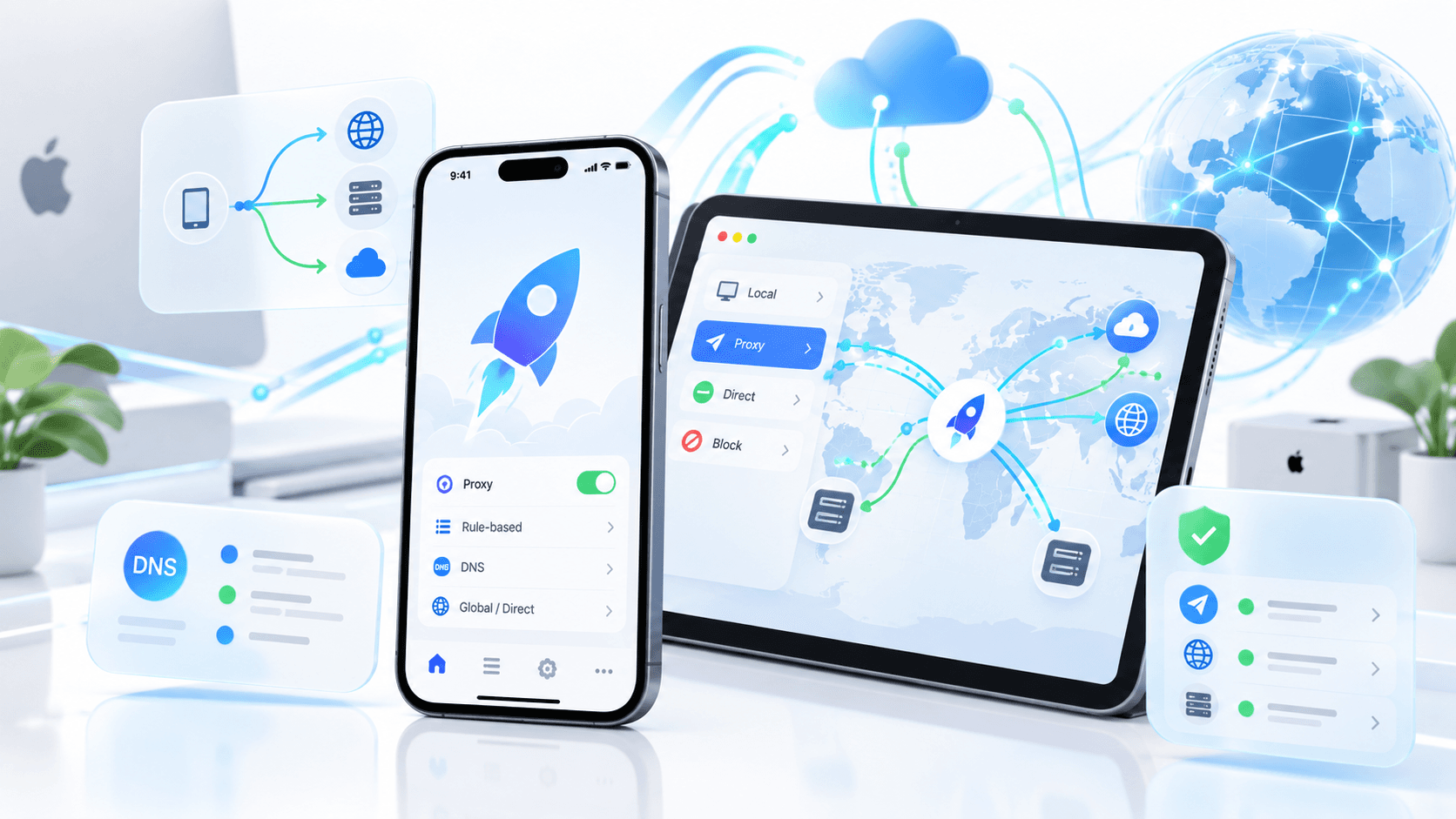
Shadowrocket (commonly known as "Little Rocket") is an extremely well-known network proxy tool for iOS devices (iPhone/iPad). Because its icon is a red rocket, users in mainland China and the Chinese-speaking community affectionately call it "Little Rocket." For users encountering this software for the first time, you may be curious about what exactly this software does and what changes it can bring to our daily internet browsing. Below is a detailed breakdown of Little Rocket's core features and practical use cases.
1. What Is Shadowrocket?
Shadowrocket is a rule-based network proxy client running on Apple devices. Simply put, it's more like a "network traffic scheduling tool."
Under normal circumstances, after an app on your phone sends a network request, it directly accesses the target server according to the system's default network environment; after enabling Shadowrocket, different requests can be further processed based on the configurations and rules that have been added.
It can be roughly understood as:
Phone app sends request
        ↓
Shadowrocket receives traffic
        ↓
Reads configuration and rules
        ↓
Determines domain, IP, or network type
        ↓
Chooses direct connection or specified connection method
        ↓
Accesses target server
Shadowrocket officially supports creating rules based on domain matching, domain suffix, domain keyword, CIDR IP address ranges, and GeoIP conditions, and can also record HTTP, HTTPS, and DNS requests. So its true core isn't the word "acceleration" but rather rule control and network traffic management.
2. What Is Shadowrocket Little Rocket Used For?
As one of the most highly praised network assistant tools in the iOS ecosystem, Little Rocket's power is reflected in the following core practical scenarios:
1. Seamless Access to Premium Global Internet Resources
After configuring nodes, Little Rocket can help you remove network restrictions and smoothly connect to premium platforms around the world:
Academic and Daily Search: Say goodbye to search restrictions and smoothly use Google Search, Wikipedia, Google Scholar, and other academic and work tools.
HD Streaming Playback: Easily unlock HD and even 4K video playback on platforms like YouTube, Netflix, Disney+, and HBO.
Social and Communication Tools: Stably receive instant messages from social platforms like X, Telegram, Instagram, and Facebook.
2. Smart Traffic Splitting: Saves Data, No Speed Drops
This is Little Rocket's most prominent advantage compared to traditional global proxy software. Through rule configuration, Little Rocket can achieve "automatic division of labor":
Domestic traffic direct connection: When accessing domestic apps like WeChat, Taobao, Douyin, and Baidu, traffic does not go through proxy servers, maintaining native extreme network speeds.
Foreign traffic goes through proxy: Only when accessing overseas sites does it automatically switch nodes.
Malicious and ad blocking: Automatically blocks tracking code, pop-up ads, and malicious malware on web pages according to rules.
This smart traffic splitting mechanism not only avoids the tedious operation of frequently turning the proxy on/off but also maximizes savings on your proxy node data.
3. Full Protocol Compatibility and Ultra-Fast Connections
Little Rocket's compatibility is second to none among similar apps, supporting almost all mainstream proxy protocols on the market, including Shadowsocks (SS), SSR, VMess, VLess, Trojan, Hysteria (HY2), TUIC, and more. No matter which node protocol the service provider offers, Little Rocket can easily import and run it stably.
4. Optimizing Network Latency for Overseas Mobile Games
For players who enjoy overseas mobile games (such as League of Legends: Wild Rift overseas servers, US/Japan servers for Genshin Impact, PUBG Mobile, etc.), using Little Rocket with low-latency dedicated line nodes can significantly reduce in-game Ping values, reduce packet loss and lag, and provide a smooth experience comparable to professional game accelerators.
5. Network Packet Capture and Rewriting
For users with some technical background, Little Rocket also offers a wealth of advanced features. For example, custom Rewrite (rewrite rules), Script (script execution), and network HTTPS packet capture analysis, often used for automated check-ins, unlocking specific features of certain apps, or customizing webpage display styles.

3. Who Is Shadowrocket Suitable For?
If you belong to one of the following groups, then Little Rocket is almost an indispensable tool on your phone:
Foreign Trade and Cross-Border E-Commerce Practitioners: Need to frequently log into platforms like WhatsApp, Google Workspace, and Shopify to contact clients or manage stores.
Researchers and University Students: Need to consult overseas academic databases and code repositories like Google Scholar, GitHub, and ResearchGate.
Overseas Streaming and Film Enthusiasts: Pursue lossless picture quality, enjoy watching Netflix exclusive series, YouTube 4K videos, or listening to Spotify music.
Overseas Game Players: Have high requirements for network latency and need to play various overseas mobile games smoothly on iOS devices.
Digital Nomads and Information Retrieval Experts: Accustomed to using overseas efficient AI and productivity tools like ChatGPT, Claude, and Notion to improve work efficiency.
4. How to Use Shadowrocket
For beginner users, successfully using Little Rocket typically involves the following three key steps:
1. Prepare a Foreign Region Apple ID to Purchase and Download
Due to regional policy reasons, Shadowrocket is not listed on the mainland China App Store. Users need to log into the App Store with an Apple ID from overseas regions such as the US or Hong Kong to search and purchase.
When preparing a foreign region account, many beginners often get stuck at the registration step because they don't have an overseas credit card, don't understand anti-ban rules, or find it too cumbersome. Actually, you can directly purchase a ready-made overseas Apple ID at Haoxiaoer Global Digital Account One-Stop Purchase Platform, which is much more convenient.
Obtaining an account at Haoxiaoer has several outstanding advantages:
Stable, No Bans: The platform provides high-quality accounts that are manually and natively registered, with a clean environment, greatly reducing the risk of being banned by Apple's risk control.
Supports Long-Term Use: The account is exclusively for personal use. After downloading Little Rocket, you can keep it long-term as your personal dedicated foreign region backup account, making it very convenient for future software updates or downloading other overseas apps.
Fully Autonomous, Password Changeable: After purchase, security questions and a bound email are provided simultaneously. You can change the password and security information immediately to ensure the absolute safety of your account assets.
For users who don't want to deal with the complicated registration process and pursue peace of mind and safety, this method can avoid most pitfalls that beginners easily fall into.
2. Import Proxy Nodes
After having the software, copy the "one-click subscription link" provided by your node service provider into Little Rocket, or directly scan the node QR code using the software's built-in scanning feature to import instantly.
3. Enable Connection
Click the connection switch at the top of the home page. On first use, allow the system to add a VPN configuration. Once the VPN icon appears in the status bar, you can begin experiencing a smooth global network.
5. What to Pay Attention to When Using Shadowrocket
Although Little Rocket is powerful, there are several security and compliance details to pay special attention to during daily use:
Choose Genuine Software, Watch for Security Risks: Do not download so-called "cracked versions" from unofficial channels or install third-party packaged IPA files, to prevent malicious packet capture code or trojans from being implanted in the app and leaking personal privacy.
Node Sources Must Be Compliant and Safe: Avoid using free public nodes from unknown sources. Free nodes often carry risks of network hijacking, data leakage, and even account password theft.
Pay Attention to App Store Login Location: After obtaining an overseas Apple ID, only log in within the App Store to download apps. Never directly log into someone else's account in your phone's settings under "iCloud," to avoid the risk of your phone being remotely locked.
Regularly Update Traffic Splitting Rules: Keeping Little Rocket's rule sets updated ensures more precise direct connections for domestic apps, avoiding situations where watching domestic videos uses overseas data or accessing local websites lags.
In summary, Shadowrocket (Little Rocket) is a comprehensive, high-performance iOS network assistant tool. It not only helps users break through network boundaries and freely explore the global internet but also improves daily internet efficiency through powerful traffic splitting rule management. If you use an iPhone or iPad and have needs for accessing overseas resources or game acceleration, Little Rocket is absolutely one of the must-have choices.
Related Q&A
1. Which "Global Routing" option should I choose for Little Rocket? What's the difference between Configuration, Proxy, Direct, and Global?
For daily use, choose "Configuration" to let rules decide who goes through the proxy and who connects directly. If you want all traffic to temporarily go through nodes, use "Global" or "Proxy." If you want no proxy at all, use "Direct." If unsure, use Configuration, and switch to Global for troubleshooting if problems arise—this is the most worry-free approach.
2. The subscription has updated, but Little Rocket still shows old nodes. How to handle this?
First, pull down to update the subscription on Little Rocket's home page and check if the prompt indicates success. Failure is mostly due to the link being blocked, the airport changing the address, or local network issues. Delete the old subscription and re-import it; don't just click update. If it still doesn't work, ask the service provider for the latest subscription—don't randomly modify parameters yourself.
3. Can Little Rocket make only one specific app go through the proxy?
Yes, but on iOS it's not as straightforward as on Android. A common approach is to find the domain used by this app and set it separately in the rules to go through the proxy while keeping others direct. You can also use rule groups in configuration files for finer control. Wanting one-click splitting by app name depends on version and configuration support—don't expect it to be 100%.
4. What should beginners do if they don't have an overseas Apple ID or don't know how to buy nodes?
For beginners new to cross-region operations, registering an overseas Apple ID yourself and binding a foreign card for payment often has high barriers and complex processes. If you want to save the cumbersome cross-region setup, you can directly purchaseApple ID accounts through a professional and reliable global digital service platform like Haoxiaoer, safely and efficiently solving software download and overseas account usage needs.
5. How to choose between Little Rocket, Clash, and Quantumult X?
On iPhone, Little Rocket wins for simplicity, full protocol support, and convenient subscription import; Clash-based rules are strong, but on iOS it depends on the specific client; Quantumult X scripts and rewriting are more cumbersome. For ordinary users, Little Rocket is sufficient; consider others only if you love tinkering with rules and scripts. Don't install a bunch at the same time—it's easy to have conflicts.