What Is WhatsApp? What Is It For? A Complete Guide to Registration, Features, and How to Use It
What is WhatsApp and how does it work? Learn about its features, registration, security, WhatsApp Business, and how people use it for messaging, calls, overseas communication, and cross-border business.
If you're doing business in overseas markets or running a cross-border e-commerce operation, there's one tool you absolutely can't avoid: WhatsApp. Whether you're sending product catalogs to overseas clients, confirming order details, or following up on leads day to day, WhatsApp is basically the international version of WeChat. That said, many newcomers to the global market often get stuck on all kinds of questions: How exactly do you register for WhatsApp? What if you don't have an overseas phone number? What's the difference between the personal and business versions? Could you get banned if you use it wrong? This article is a comprehensive, practical guide that walks you through WhatsApp registration, usage, and cross-border tips all in one go.
1. What Is WhatsApp?
WhatsApp (full name: WhatsApp Messenger) is an instant messaging app that runs over the internet. Simply put, the biggest difference between it and traditional SMS is that SMS is mainly sent through carriers' communication networks, while WhatsApp only needs Wi-Fi or mobile data to let you chat with other WhatsApp users, send files, or make voice and video calls.
WhatsApp did start out as an alternative to SMS text messaging, but it's no longer just "internet SMS." Today, WhatsApp supports text, photos, videos, documents, location sharing, voice calls, and more. It also has one very distinctive trait: its account system is built primarily around phone numbers.
When you register for WhatsApp, you need a phone number that can receive verification codes. Once registration is complete, that phone number becomes the key identifier for your WhatsApp account. So if you're new to WhatsApp, you can think of it simply as: a global instant messaging tool built on phone numbers. Once you understand this, registration, adding contacts, and communicating with overseas clients all become much easier.
2. What Is WhatsApp For?
Beyond sending text, voice messages, images, and videos like any regular chat app, WhatsApp has several core features:
End-to-end encrypted communication: All conversations and voice calls are encrypted by default. No third party—not even Meta itself—can decrypt the content.
Free HD voice and video calls: As long as you have an internet connection (Wi-Fi or mobile data), you can make international calls for free with very stable audio quality.
File and status sharing: You can send PDFs, DOCX files, spreadsheets, and other documents up to 2GB. You can also post "Status" updates like WeChat Moments, which disappear after 24 hours.
Communities & Channels: You can set up large groups with thousands of members or launch one-way broadcast channels—great for building a brand following and pushing out content.
3. Why Do Foreign Trade and Cross-Border Professionals Use WhatsApp So Much?
In cross-border B2B inquiry follow-ups and B2C customer service, email is still the formal communication tool, but WhatsApp's open rate and response speed far exceed email.
Incredible open rates: The average email open rate might only be 15%–20%, while WhatsApp message open rates are typically above 90%.
Extremely short communication path: If a customer casually leaves their phone number on your standalone site or social media, you can start a conversation on WhatsApp right away and connect instantly.
Building strong trust: On WhatsApp, you can send clients real-time factory videos, packing photos, and shipping documents. This kind of "instant interaction" dramatically shortens the follow-up cycle.
4. How Do You Register for WhatsApp?
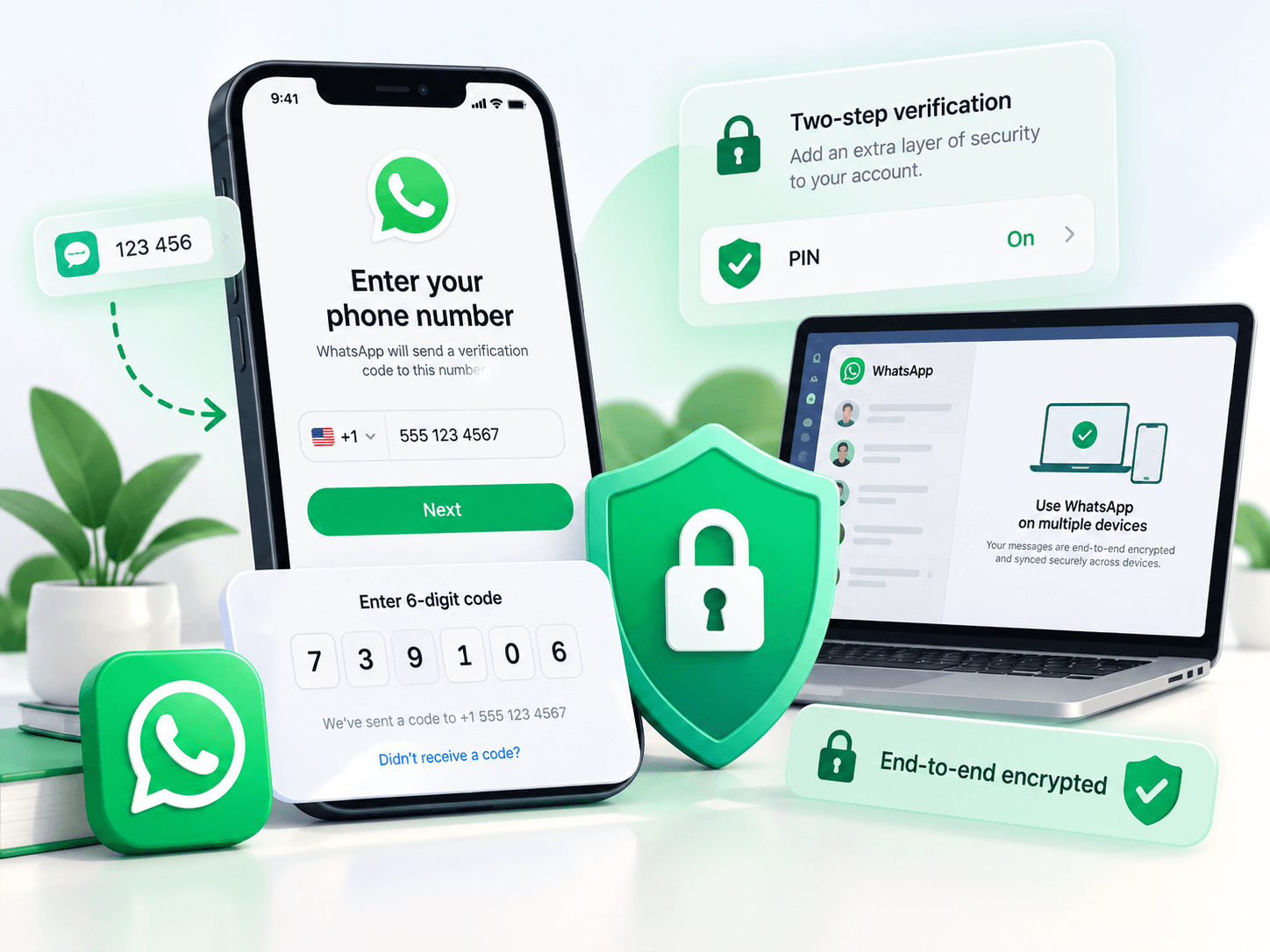
Registering for WhatsApp isn't complicated—the core step is verifying your phone number. According to WhatsApp's current official registration requirements, creating an account requires a valid phone number that you own and that can receive SMS or phone call verification codes. First-time registration usually involves receiving a 6-digit verification code to confirm that the number is indeed under your control.
The whole process can be simplified as:
Download WhatsApp → Select your country or region→ Enter your phone number → Receive a 6-digit verification code ↓→ Complete number verification→ Set up your profile → Start using WhatsAppThe trickiest part here isn't actually downloading the app—it's number verification. For example, your phone number can't receive SMS properly, you entered the wrong international area code, your network connection is unstable, or you requested verification codes repeatedly in a short period. Any of these can cause registration problems.
Also, never share your WhatsApp verification code with anyone else. Registration codes and account security credentials should not be shared. After registration is complete, enhance your security settings—email, two-step verification, passkeys, etc.—based on your actual needs.

5. What's the Difference Between WhatsApp and WhatsApp Business?
Many people just getting into foreign trade also come across another name: WhatsApp Business. It's not an entirely different chat system from regular WhatsApp—both can send messages and communicate with users—but they serve different audiences.
| Comparison | WhatsApp Business | |
|---|---|---|
| Primary users | Regular individual users | Merchants, companies, and business professionals |
| Text chat | Supported | Supported |
| Voice & video communication | Supported | Supported |
| Account positioning | Personal communication | Business communication |
| Business profile display | Basic | Better suited for showcasing business info |
| Best for | Family, friends, daily contact | Foreign trade, sales, customer service, merchant communication |
If you're just staying in touch with friends, colleagues, or family, regular WhatsApp is more than enough. But if the account will be used long-term for foreign trade client communication, product inquiries, or business customer service, it's worth looking into WhatsApp Business.
Choosing between the two doesn't need to be complicated—it really comes down to whether the account will mainly be used for personal or business purposes.
6. What If You Don't Have a WhatsApp Account?
Doing cross-border business without a WhatsApp account is like going to battle without a weapon. Generally, you can approach it in two steps:
1. Self-registration for regular users
If you have a domestic phone number and only occasionally contact one or two overseas clients, you can try registering directly with your domestic number (+86). As long as your network environment is clean, you should be able to receive verification codes normally.
2. Business testing and multi-account preparation scenarios
However, in real cross-border business scenarios, many teams run into these pain points:
They need to completely separate work and personal accounts and don't want to reveal their private phone number.
They need to set up localized operating accounts for different countries (e.g., the US, UK) to improve customer answer rates.
For multi-channel testing or distributing accounts among multiple employees, they need to prepare clean, independent account environments in bulk.
If you can't get a suitable number right away or need to quickly deploy test accounts, you can purchase ready-made WhatsApp accounts directly on the one-stop global digital account service platform Hao Xiao Er's WhatsApp account service page. As a well-known digital account and cross-border resource provider, Hao Xiao Er offers compliant, high-retention overseas numbers and account solutions for cross-border professionals, helping businesses get off the ground quickly and skip the tedious preparation process.
7. What to Watch Out for When Using WhatsApp for the First Time
Whether you registered the account yourself or got it through another channel, account security and ban prevention should always come first. New accounts (especially those just registered or recently acquired) must go through a "warming-up period" and have proper security measures in place:
1. Enable two-step verification immediately: After logging in successfully, make sure to enable "Two-Step Verification" in settings right away. Set a 6-digit PIN and link your security email. This effectively prevents account theft and ensures the long-term security of your business assets.
2. Maintain a stable network and device environment: Avoid frequently logging in on low-trust devices or switching nodes/IPs in a short period. Drastic environment changes can easily trigger the platform's risk control mechanisms.
3. Never start with bulk messaging: For the first 3–7 days with a new account, try to only interact with existing acquaintances and old clients. Keep conversations two-way and natural. Do not copy-paste large marketing messages to strangers.
4. Encourage others to add you as a contact: If the other person doesn't have you in their contacts, your proactive messages can easily be flagged as "spam." Getting reported 2–3 times could result in a direct ban.
5. Complete your business profile: Set up a professional profile photo, company name, business hours, and official website in a timely manner to increase your account's authenticity and trustworthiness.
8. Who Is WhatsApp Best Suited For?
If you only occasionally chat with domestic friends, there's really no need to register for WhatsApp just because "everyone's using it." It's truly best suited for people with clear overseas communication needs:
B2B foreign trade salespeople: Follow up on inquiries anytime, anywhere, send sample photos, and confirm order status.
Cross-border e-commerce sellers (standalone sites, Amazon, etc.): Handle after-sales customer service, collect genuine user feedback, and build private traffic pools.
Overseas service businesses and app teams going global: Such as overseas study agencies, game publishers expanding abroad, SaaS companies, etc., for providing high-touch 1-on-1 customer support.
Regular users with friends and family overseas: Enjoy low-cost, high-definition international instant messaging.

In today's wave of globalization, WhatsApp is more than just an instant messaging tool—it's a core bridge for connecting with customers worldwide and building trust. Understand its registration logic, make good use of WhatsApp Business's commercial features, and follow the platform's risk control rules, and you'll get twice the results with half the effort in cross-border communication. We hope this guide helps you quickly build your own overseas communication channels and successfully expand your global business!
Related Q&A
Q1: Can I chat on WhatsApp without adding contacts? How do I use wa.me links?
A: Yes. Using a wa.me/country code + number link, you can open a chat window with someone directly without saving them to your contacts first. You can put these links on your standalone site, email signature, or ad landing pages. Write the number in international format without the plus sign, spaces, or parentheses. When the other person hasn't saved you, make sure to clearly state who you are and why you're reaching out.
Q2: What's the difference between WhatsApp broadcast lists and groups? Are they good for sending notifications?
A: A broadcast list sends your message individually to multiple contacts. Recipients see it like a private chat and can't see other recipients. Only people who have your number saved can receive it. It's great for sending new product announcements, shipping updates, and event notifications—not for group discussions. Groups are for everyone chatting together; broadcasts are more like one-to-many private messages.
Q3: How do I adjust WhatsApp privacy settings? What happens if I turn off read receipts?
A: Go to "Settings > Privacy." You can change Last Seen, Profile Photo, About, and Read Receipts. If you turn off read receipts, you also won't be able to see others' read status. For business purposes, don't make your Last Seen too mysterious—clients sometimes use it to gauge when you're likely online.
Q4: What's the difference between blocking and reporting on WhatsApp? Will the other person know?
A: After blocking, the other person can no longer message or call you, and they can't see your profile photo or Last Seen. Reporting submits the chat to WhatsApp for review and typically doesn't notify the other person. If you encounter scams or harassment, report first, then block—don't keep chatting.
Q5: How many devices can one WhatsApp account be logged into? How do I manage linked devices?
A: Currently, one phone can link up to four computers or web sessions. You can see and log out of them under "Linked Devices." If your phone goes offline briefly, linked devices can generally still receive messages; if disconnected for a long time, they'll log out. Never scan the QR code on a public computer or someone else's device.
Q6: Is there a time limit for deleting WhatsApp messages? How do I delete for everyone?
A: Long-press the message, select "Delete," then choose "Delete for Everyone." There's generally a window of a little over two days; after that, you can only delete it on your end. If the other person has already seen or screenshotted it, deleting won't help. Double-check important content before sending.